The Original Order ID on an iTaoBuy order
Since 15 October 2025 each iTaoBuy order is meant to carry the transaction ID of the matching seller order. Here is where it sits, what it settles and where its limits are.
Checked 16 October 2026
Order Source Tracking as announced on 15 October 2025
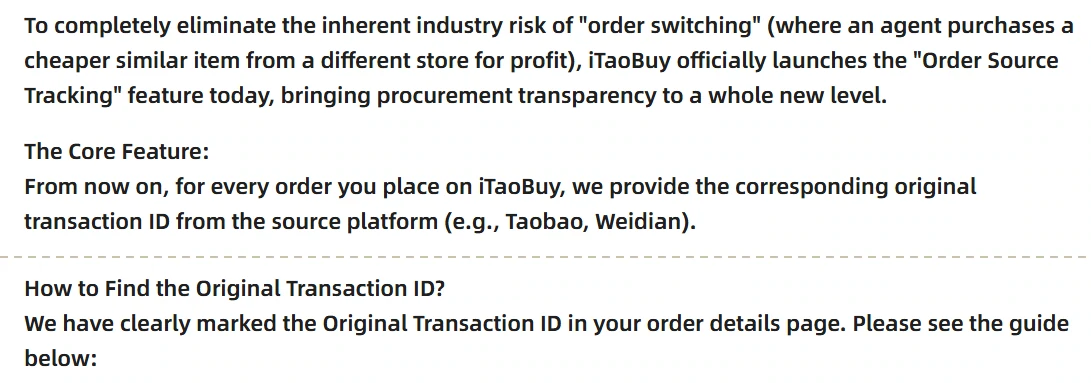
The notice is titled “[Feature Launch] Order Source Tracking: Access Original Transaction IDs for Full Purchase Transparency”. iTaoBuy's help system dates it 15 October 2025 at 12:16 and last updated at 16:57 the same day, and it was still published when we read it on 16 October 2026. It does not appear in the numbered notice list; it sits among the site's banner articles, at the address linked here: Order Source Tracking notice.
The core sentence is short: “From now on, for every order you place on iTaoBuy, we provide the corresponding original transaction ID from the source platform (e.g., Taobao, Weidian).” The notice then tells you where to look: “We have clearly marked the Original Transaction ID in your order details page.” Note the two names. The notice says Original Transaction ID; the order page in its own example screens, and the label in the site's interface text, say Original Order ID. They are the same field.
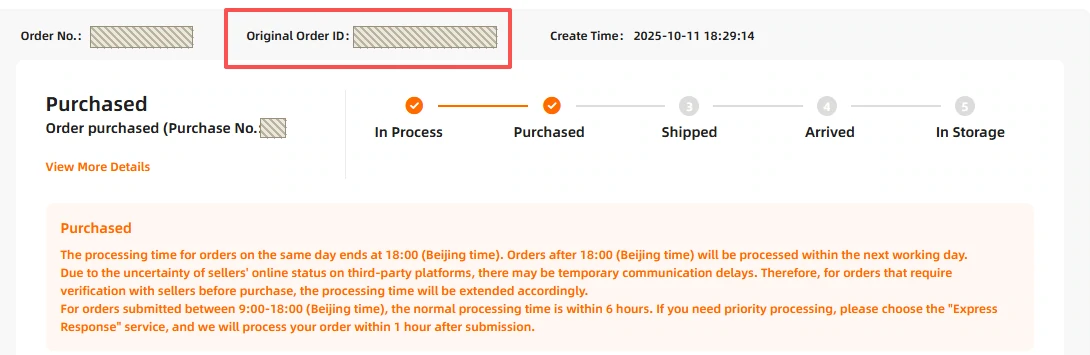
On the web: the header line of the order details page
The first example screen is the web order details page. The header line reads, left to right, Order No., Original Order ID and Create Time, with iTaoBuy's red box around the middle one. Below it, the status card shows Purchased, and the progress line runs In Process, Purchased, Shipped, Arrived, In Storage. The tips under the status repeat the processing rules: same-day processing ends at 18:00 Beijing time, orders that need a word with an offline seller take longer, and an “Express Response” service promises processing “within 1 hour after submission”.
The demo looks like a test account: its totals read 0.00 USD, and the item line is a blind-box toy, which we cropped out along with the account menu. What matters is position: the ID is in the header, not inside the item line, so one order with several items still shows one Original Order ID per seller order.
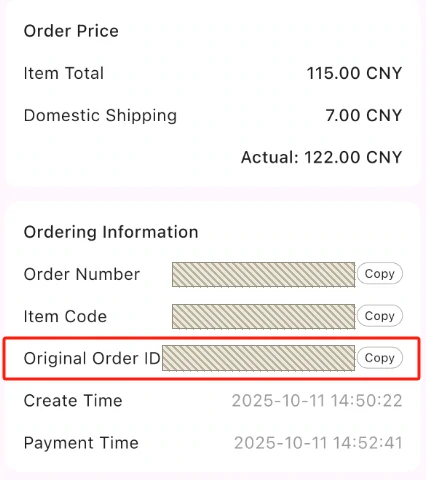
In the app: Ordering Information, with a Copy button
The second example screen is the app. Here the ID sits in a block called Ordering Information, under Order Number and Item Code and above Create Time and Payment Time. Each of the three references has a Copy button, which is the easiest way to move the ID into a chat message without typos.
The app version also shows the money side in one place: Item Total, Domestic Shipping and Actual. In the example those read 115.00, 7.00 and 122.00 CNY. Those are the numbers to hold against the unit price and domestic shipping on your white ply.
In the example the ID is cut off with an ellipsis. Use Copy rather than reading it off the screen. We cropped the shop and item above this block, which were in Chinese and belong to the demo order.
One more detail from the app screen: Create Time and Payment Time are just over two minutes apart, and the status already reads Purchased. Your payment to iTaoBuy comes first; the seller order, and with it the ID, can only follow it, so an unpaid order will never show one.
Three references per item: GO, GI and the source ID
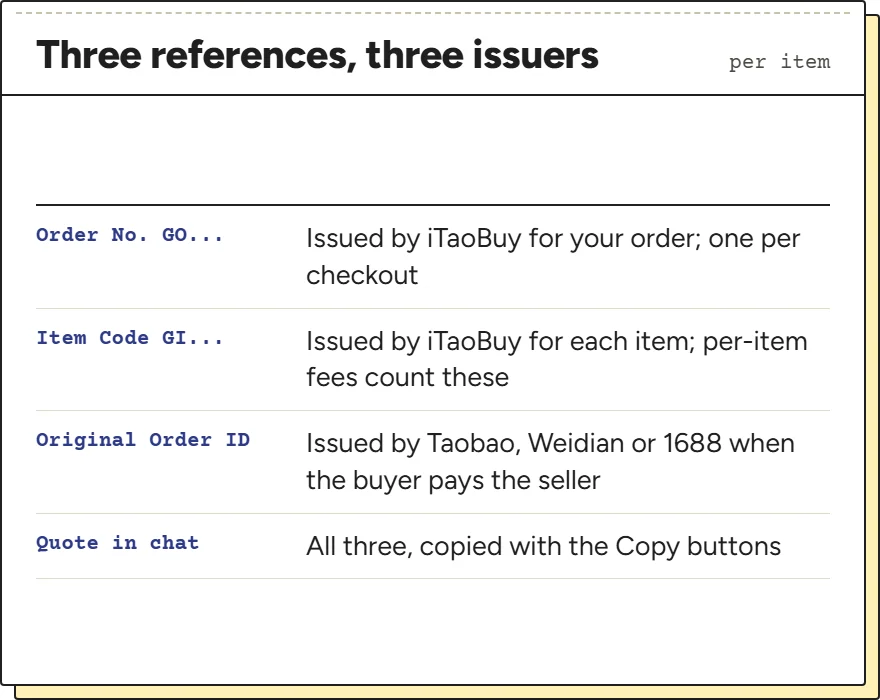
An iTaoBuy order carries an Order No. starting GO. Each item inside it has an Item Code starting GI, and iTaoBuy prices some services per GI, so the count matters when you add options. The Original Order ID is the third reference and the only one that comes from outside iTaoBuy.
Quote all three when you ask about a seller order. The GO and GI numbers tell customer service which of your purchases you mean; the Original Order ID tells them which seller transaction to look up. In the app example the GO and GI numbers sit next to each other and differ only in their last two digits, so it is easy to copy the wrong one.
The glossary lists the other labels on the order page, from Goods Extra to Additional Shipping Fee.
What the ID lets you ask, and what it cannot verify
An Original Order ID is presented as the reference for a seller transaction. Give it to support to confirm the platform, seller and selected option. A displayed number alone does not independently verify those details.
It leaves three things open. It does not show the option that was bought; for that you need the specification on the order page or the warehouse photos. It does not show the shop's name on every screen. And it cannot be checked by its shape, because iTaoBuy has published no format and its two example screens carry the same digits on orders with different numbers, items and times.
So the ID is the start of a check, not the end of it. The match sheet is built around that: the ID line first, then the fields that say whether the right thing was bought.
Asking about a seller order without leaving the platform
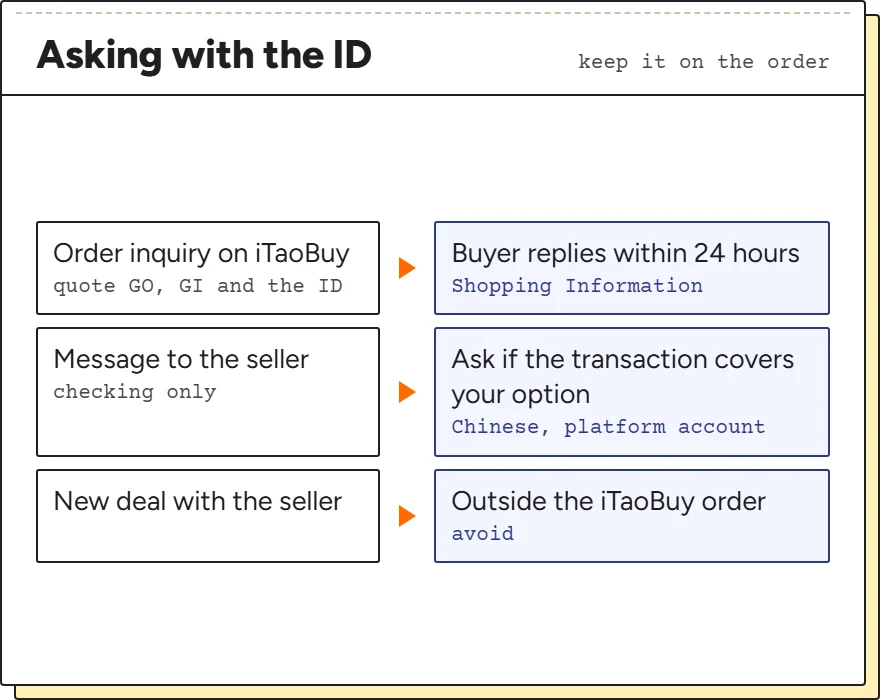
The notice suggests you “use this original ID to contact the seller directly”. On Taobao and Weidian that means an account on the platform and a chat in Chinese, and the seller may not recognise a transaction placed by an agent. For most readers the faster route is the one iTaoBuy's service table times: an order inquiry, which the buyer answers within 24 hours, with the ID quoted.
If you do write to the seller, keep it to checking: ask whether the transaction with that ID covers the option you name. Do not arrange payment, a new order or a change of item there. Anything agreed directly with the seller sits outside the order iTaoBuy is handling, and the service table's rules on cancellation and refunds are written for that order.
The message the match sheet writes is aimed at iTaoBuy's chat, not at the seller.
One label, ten back-office steps: why In Process says little
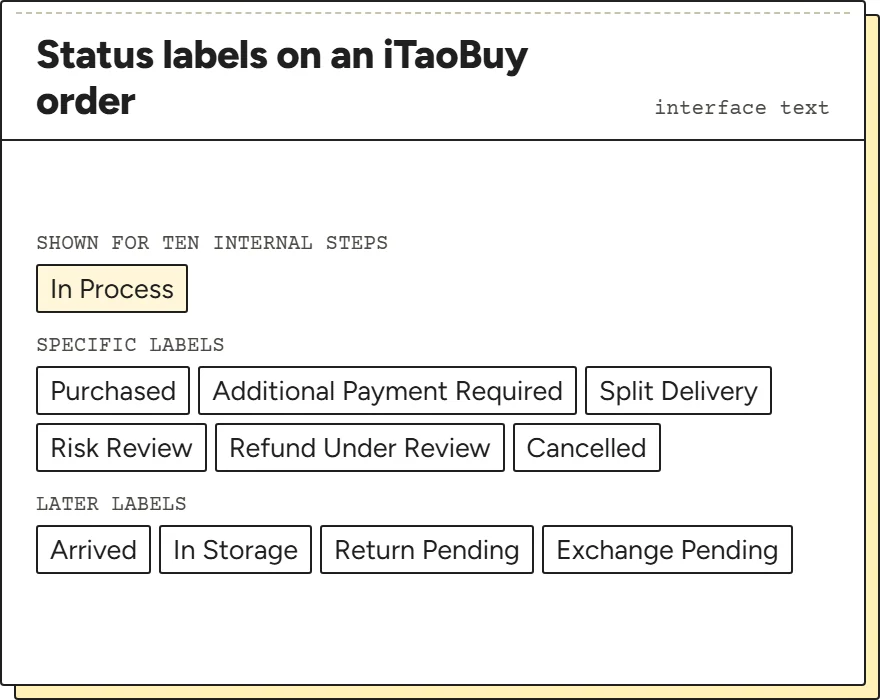
The status label In Process covers a lot. In the interface text the site ships, ten separate internal steps all display as In Process, among them steps whose internal names refer to checking orders on 1688 and, going by the abbreviation, on Weidian. From the outside you cannot tell which of them your order is in.
That is why the match sheet treats a missing Original Order ID gently while the status reads In Process: the seller order may simply not have been placed yet. Once the label changes to Purchased, the ID should be there. If it is not, ask.
Other labels in the same list are more specific and worth knowing: Additional Payment Required, Split Delivery, Risk Review and Refund Under Review. Each is covered on the mismatch page.