How to buy through iTaoBuy, with a clear order record
Follow the purchase through seven practical stages, then use the detailed checks below before paying. Keep the original listing and each decision together.
Checked 16 October 2026
A first order, from listing to delivery
These seven stages are this guide's practical reading order, not an official numbered iTaoBuy tutorial. Official screenshots below illustrate their own fields; account screens can change.
Choose the listing and the exact option
Open a category shelf, check the seller's size chart and save the selected option, unit price, shop and link. Read pre-sale and return conditions before treating two similar listings as equivalent.
Open the link on iTaoBuy or use Fill&Buy
Sign in on the official site. If the link cannot be read, enter its product details manually. Specification should repeat the seller's option wording; upload an image showing that selection.
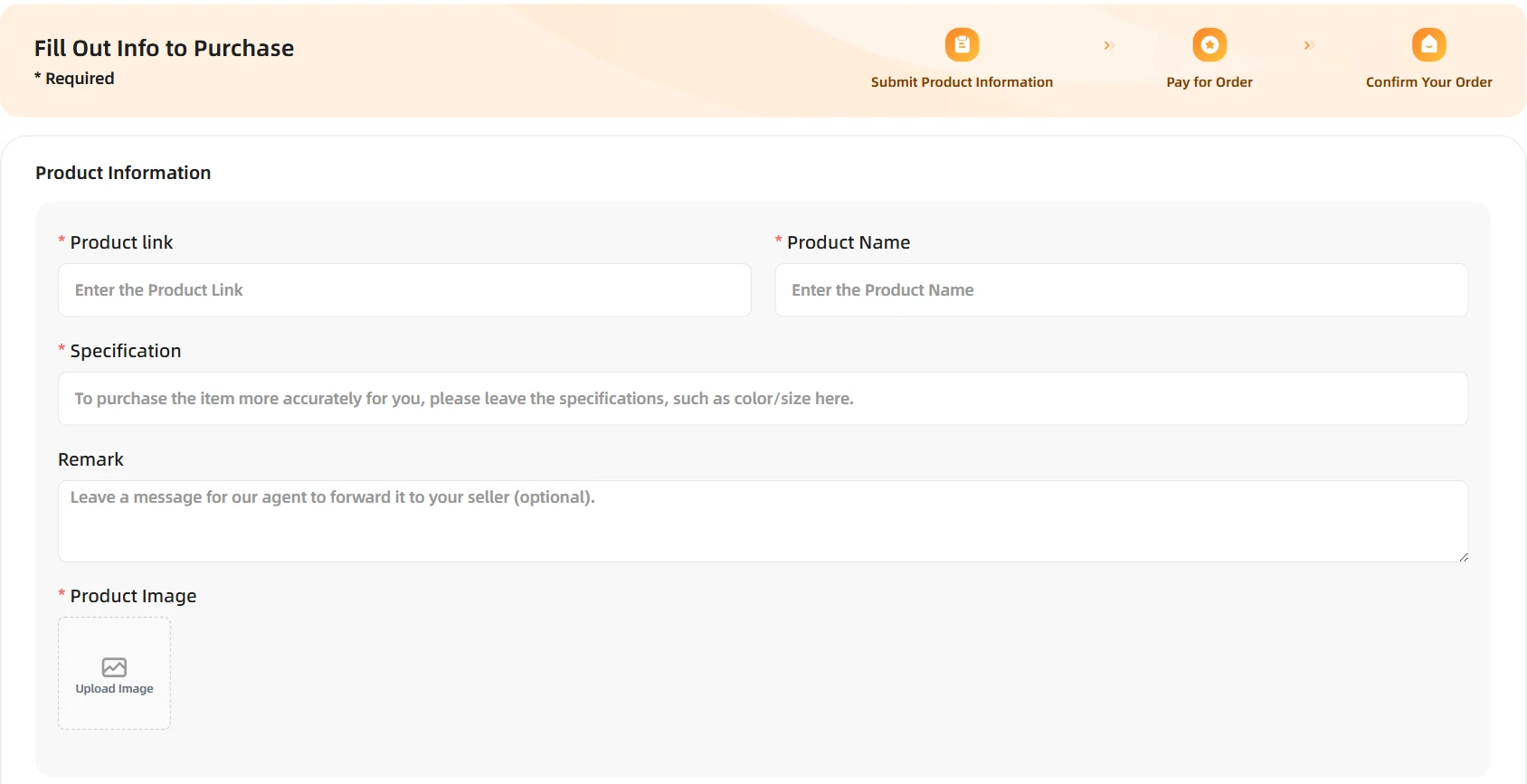
Actual public form, 16 October 2026; field-by-field explanation. View full image Check the first payment
Confirm item price, domestic shipping, quantity, selected services and the account's payment breakdown. The initial payment excludes the later international parcel fee. Read Purchase Notice and Disclaimer before agreeing.
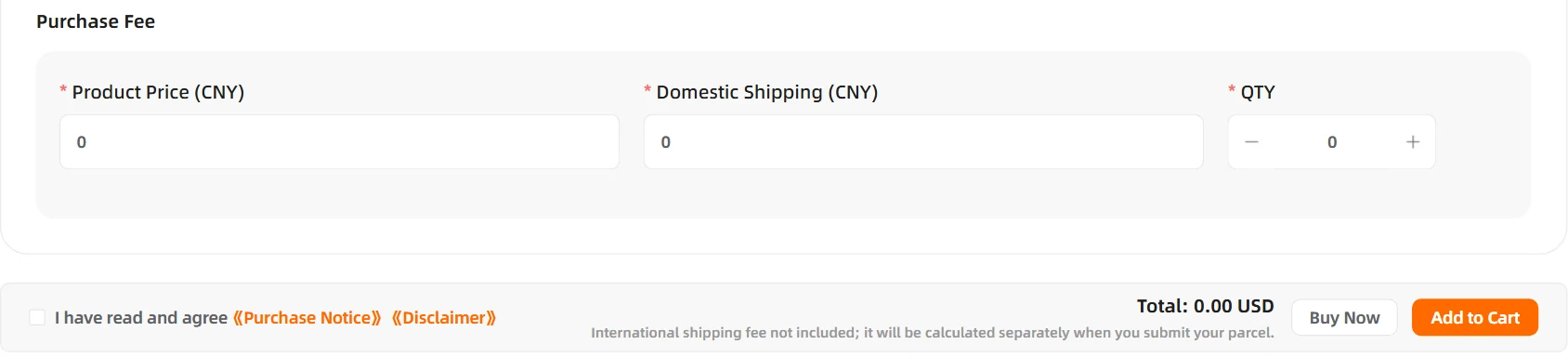
Empty form example; zeros are not a free-shipping quote. View full image Follow the buyer's order and answer questions
Look for price or stock messages while purchasing is in progress. Once the seller order is placed, keep the GO, GI and Original Order ID references. Use the match sheet if the option, quantity or price differs; ask about an unclear shop name rather than assuming a switch.
Check warehouse photos before submitting a parcel
Read the photos against your saved selection. Request a missing measurement or detail promptly. The eligible no-reason return clock and exclusions are separate from storage; see warehouse photos and returns.
Choose packing and a usable shipping line
Check item restrictions, destination, weight and dimensions for the parcel you actually plan to send. Decide whether removing packaging prevents a later return. Review the line's protection terms and checkout total; a calculator entry alone does not confirm that booking is open.
Track, receive and keep records
Keep the parcel number, item list and tracking history. At receipt, document the sealed parcel and unpacking before discarding packaging if anything may be missing or damaged. Ask support for the documents and time limit that apply to the chosen service; evidence does not guarantee compensation.
A complete journey for one clearly specified item
Start with the saved listing and selected variant, then check the purchase summary and first payment. That stage concerns the product, domestic delivery and relevant buying charges. Watch for an agent request about stock, price or options before assuming the seller has shipped. The domestic tracking record follows the item to the warehouse, not to your home.
At receipt, inspect the QC photos promptly and resolve an eligible return or exchange before packing. Then choose the items for the international parcel, compare suitable routes and pay the second stage. Packing, conversion, optional services and applicable import charges belong in the total budget. Keep the order, item and parcel references together: each identifies a different part of the same shopping journey.
One option per item, one GI per item
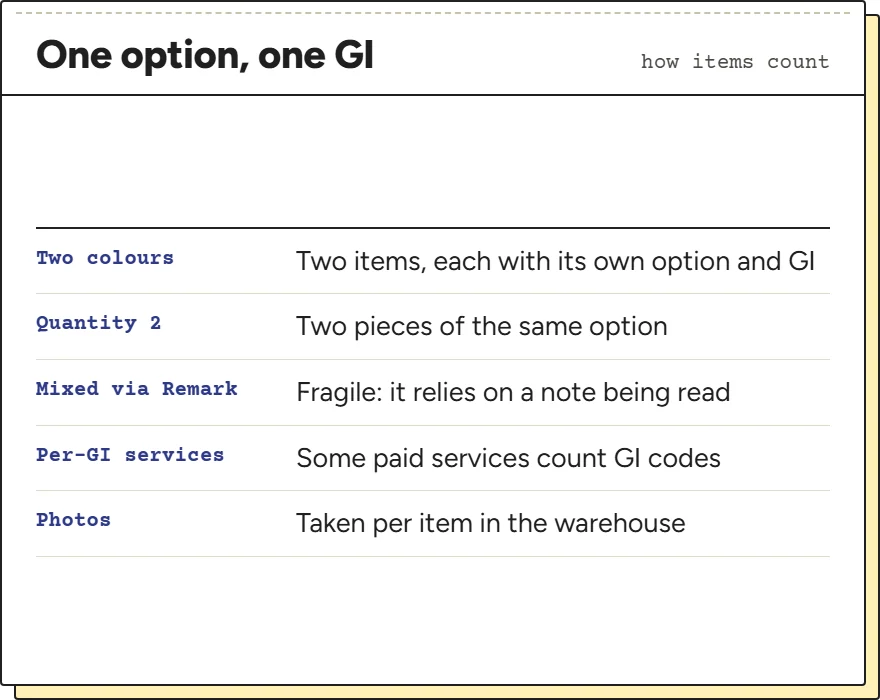
Every option you add to an order becomes its own item with its own Item Code, starting GI. That is how iTaoBuy counts work: some paid services are charged per GI, and the warehouse photographs each item separately.
So keep one option per item. If you want a hoodie in two colours, add it twice with two options selected, rather than adding it once with quantity two and a Remark asking for one of each. The quantity field applies to the one option shown on that line; a note asking for a mix depends on someone reading it.
The same goes for Fill&Buy: one form per option, each with its own specification and its own screenshot.
Domestic shipping and the price you typed
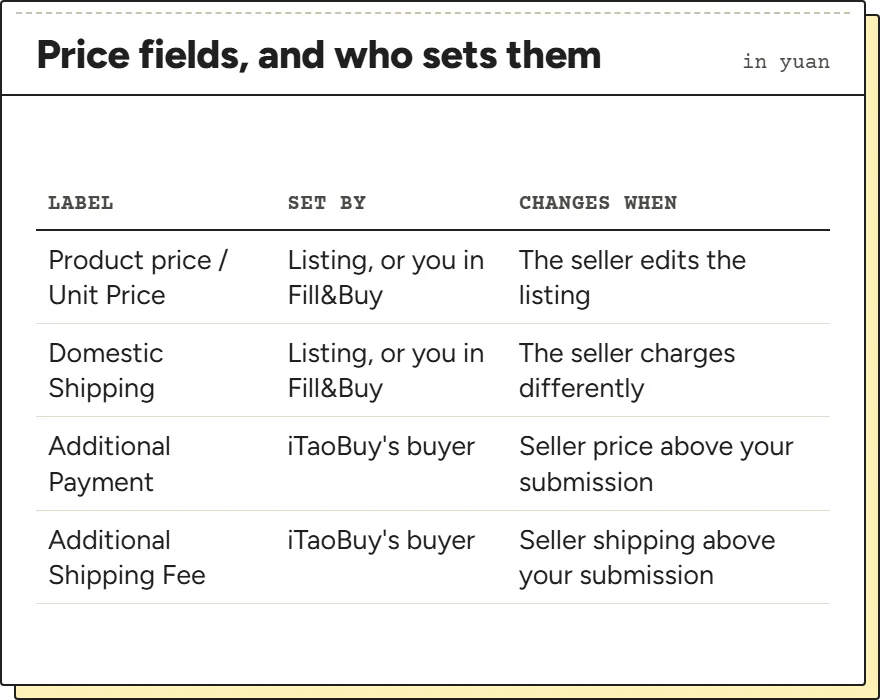
Two prices travel with every item: the unit price and the domestic shipping from the seller to the warehouse, both in yuan. On the product page they are read from the listing. In Fill&Buy you type them, and the buyer compares your figures with the seller's when placing the order.
The product page's interface text includes a Modify Price dialog that asks for a price and a reason, which suggests you can correct a figure you know is wrong before ordering; we could not open it without an account. Either way, the supplementary payment rule settles any gap after you pay.
Note the processing hours as well. The product page says “After payment, we will process your order from 09:00 to 18:00 (UTC+8)”. An order paid on a European evening is processed on the next Beijing morning at the earliest, and a price can move in between.
Pre-sale, deposit and made-to-order listings
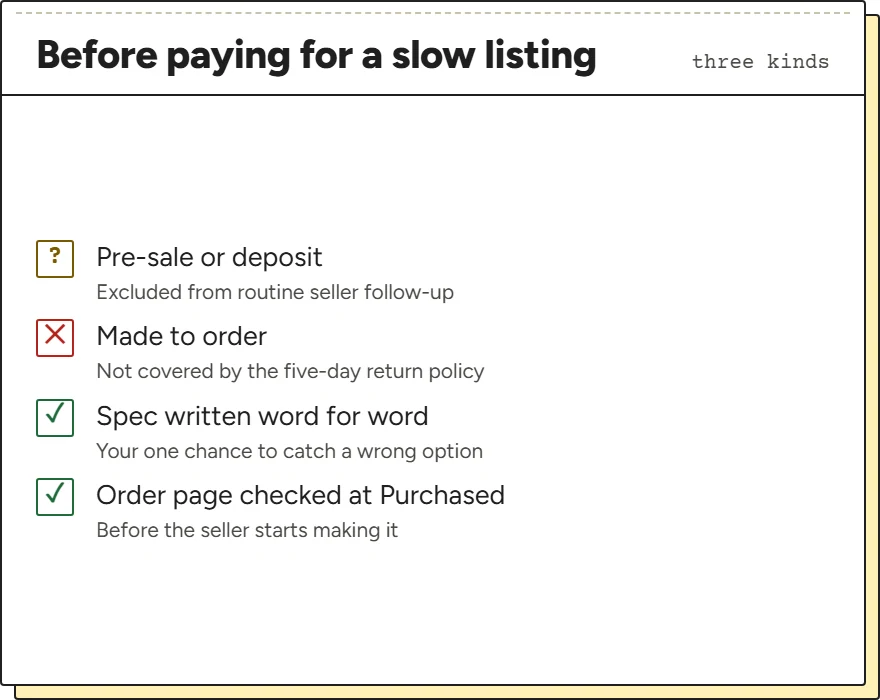
Some listings are not in stock when you buy them. Pre-sale and deposit listings ship on a date the seller sets, and iTaoBuy's service table excludes them from its routine follow-up of slow sellers. Made-to-order items carry a second catch: “Customized and custom-made products” are on the list of items the five-day return policy does not cover.
Neither is a reason to avoid them, but both change what a later check can achieve. For made-to-order items, confirm the specification before production: the ordinary no-reason return exclusion makes a later change of mind difficult. If the seller supplied the wrong specification, ask support about that specific error rather than assuming there is no remedy. Write the specification with extra care and compare the order page as soon as it reads Purchased.
If a listing does not say whether it is pre-sale, look for a ship-by date in the option names; sellers often put it there.
Messages that reach the seller, and those that do not
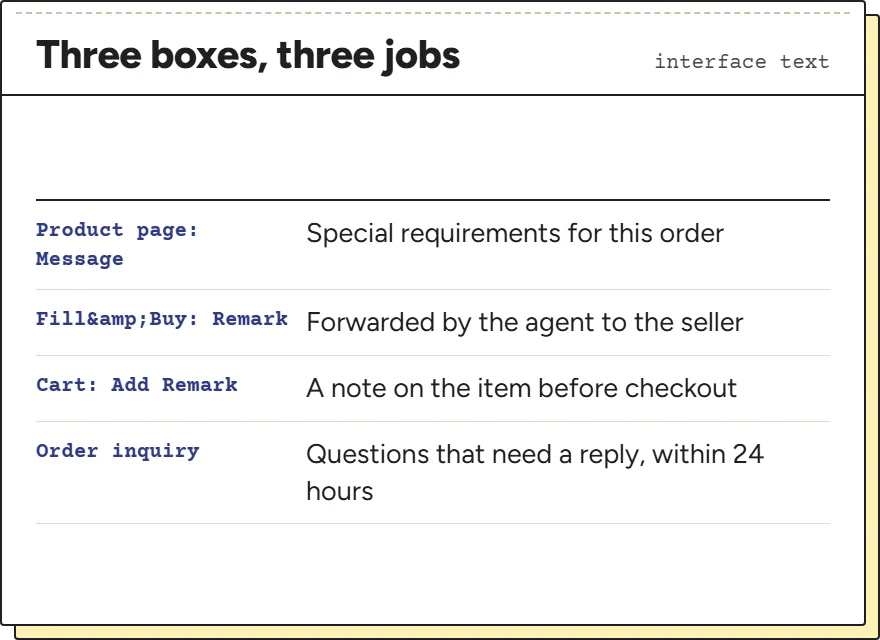
Three boxes on iTaoBuy look alike and do different jobs. On the product page, Message carries the placeholder “If you have special requirements for this order, please fill out”. In Fill&Buy, Remark says the agent forwards it to the seller. In the cart there is an Add Remark link next to Add Service.
Use them for things the buyer can act on while ordering: an option to choose if yours is gone, a detail to check with the seller. Do not use them for questions that need an answer, such as whether the seller has your size; those belong in an order inquiry, which the table says is answered within 24 hours.
Whatever you write, keep a copy. The match sheet message can quote it if the order page does not reflect it.
Mistakes that make a later check impossible
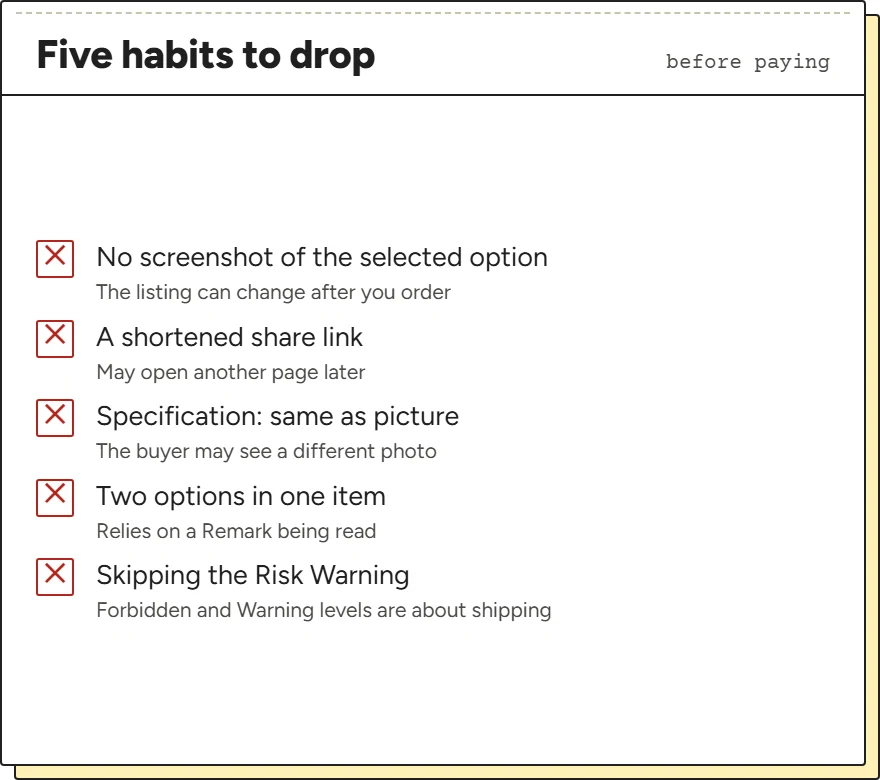
A few habits make the source order impossible to judge afterwards. Ordering without a screenshot of the selected option is the first: if the listing changes, nothing shows what you chose. Pasting a shortened share link is the second, because it may open a different page later, or none at all.
Typing “same as picture” as a specification, mixing options in one item, and ignoring the risk prompt are the others. The interface text includes a Risk Warning that says “The submitted product may have {count} risks, we recommend reading and considering these risks before ordering”, with Forbidden and Warning levels. Read it; by its wording it most likely concerns restricted goods, and an item that cannot be bought or shipped does not need a perfect match.
Avoid these and the match sheet has something to work with.