Warehouse photos, the last place a mismatch shows
The Original Order ID gives support a seller transaction to check. The warehouse photos show what arrived. Read them against your own screenshot of the option you chose.
Checked 16 October 2026
What QC photos are on iTaoBuy
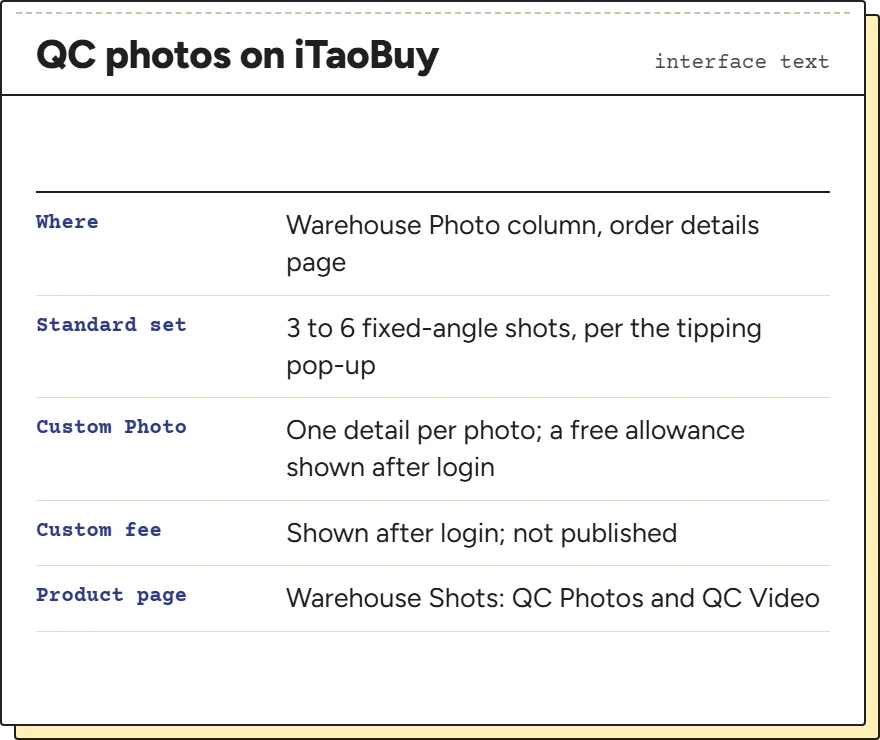
When an item reaches the warehouse, its photos appear in the Warehouse Photo column of the order details page. iTaoBuy does not publish a photo count in its help centre. The nearest thing is a line in its tipping pop-up describing staff work: “Standard QC photo service (3-6 fixed-angle shots) to document product condition”.
Extra photos are possible. The interface text for Custom Photo says each photo “only supports shooting one product detail”, such as a close-up or a measurement, and shows a free allowance and a service fee whose amounts load only after login. We could not see either amount, so we do not print one; ask in the chat before you rely on a free photo.
Product pages also have a Warehouse Shots area with QC Photos and a QC Video in the interface text. Product pages need a login, so we have not seen what it shows for a given listing.
Reading the photo set against your screenshot
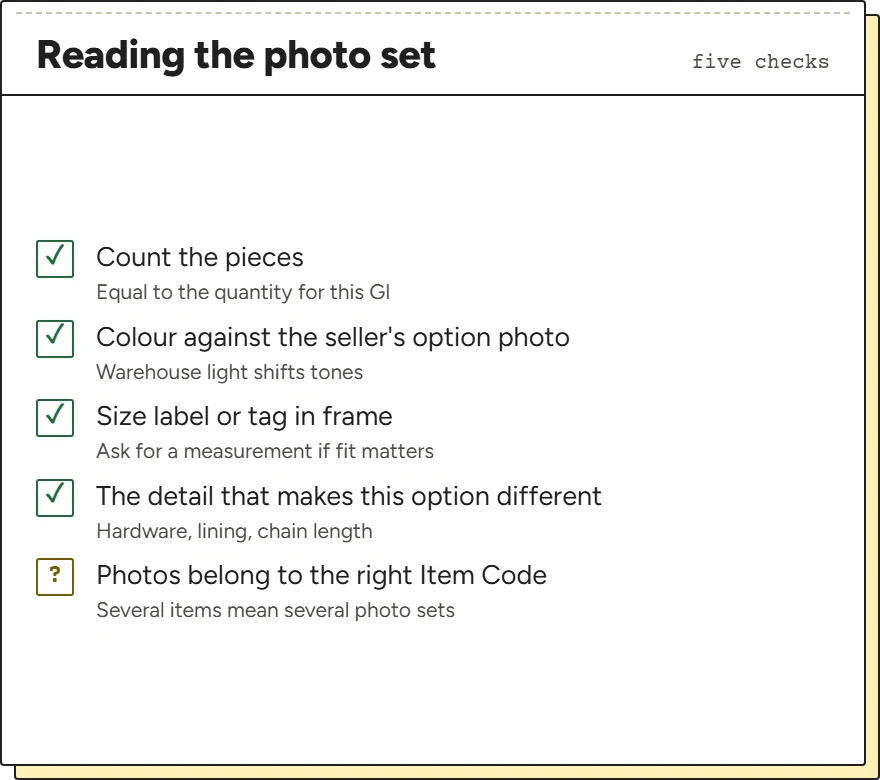
This is how to check QC photos for a mismatch rather than for quality. Open your screenshot of the selected option next to the photos and go through them in a fixed order. Count first: the number of pieces should equal the quantity for that Item Code. Then colour, judged against the seller's own option photo rather than your memory, allowing for warehouse lighting. Then size: look for the size label or tag in the shots, and request a measurement as a Custom Photo if fit matters.
Then check the details that separate one option from another on that listing: hardware colour on a bag, lining in a jacket, chain length on a necklace. The copy-down note on each shelf card points at the detail that usually differs.
Finish by checking that the photos belong to the GI you are looking at. With several items in one order, each has its own photos.
What to send when the photo does not match
Pair the saved seller option with the warehouse photo and describe the difference in ordinary terms: a different label, one item missing, an absent accessory or a visible defect. Include the relevant item reference. If the evidence is inconclusive, ask for the missing view or measurement before declaring the whole order wrong. A lighting difference alone may not establish a colour error.
The question for support is what was ordered, what arrived and which remedy is available now. Request the next action while the relevant return conditions still apply. Photographs cannot authenticate an item or test every function, and an Original Order ID is a reference rather than proof that all specifications matched. Preserve the response before moving the item into an international parcel.
The return clock starts an hour after received
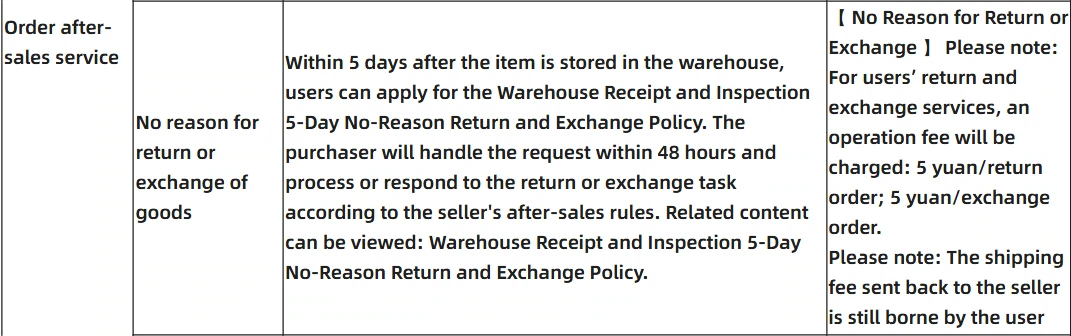
The return policy's name is long, the Warehouse Receipt and Inspection 5-Day No-Reason Return and Exchange Policy, and its clock is precise. You can apply “within 5 days of the order being in the “received” status (calculated from the next hour after “received”)”, on your personal page, and late applications may be refused. The service table line below adds that the buyer handles a request within 48 hours under the seller's own after-sales rules.
Several categories sit outside the no-reason policy altogether: customised items, items whose tags or packaging you asked the warehouse to remove, second-hand goods, underwear and socks, food, and anything the seller does not accept back. The Terms of Use, section 8.2, also allow a return request before the goods reach the warehouse. Read the full return policy if your item sits near one of those lines.
Returns that are not your fault skip the five-yuan fee
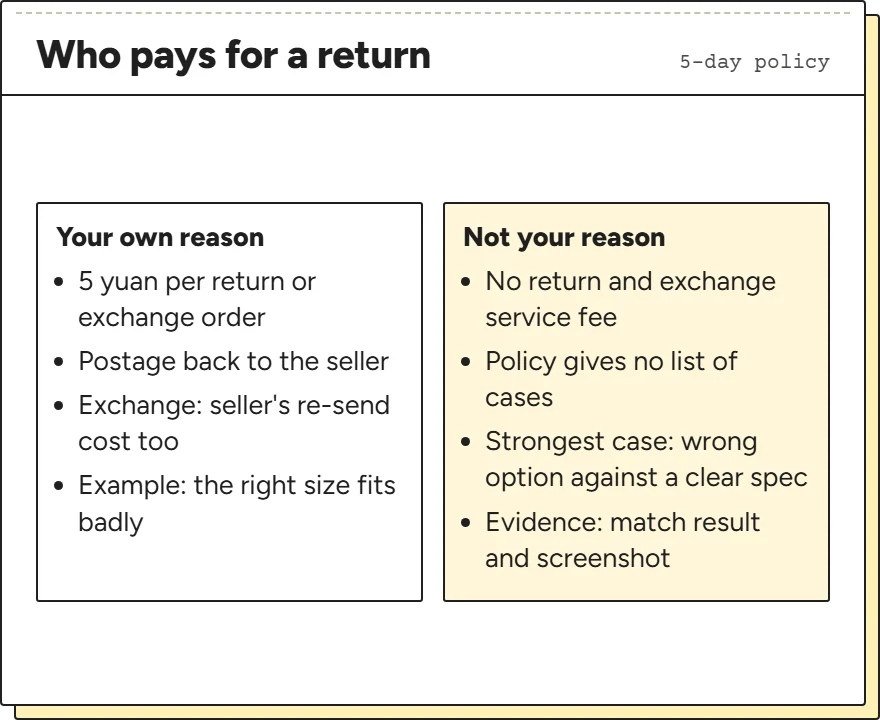
The policy charges for returns you start for your own reasons: “5 yuan/return order; 5 yuan/exchange order” as an operation fee, plus the cost of sending the item back to the seller, and for an exchange the seller's cost of sending the new one. It then says “Customers do not need to pay the return and exchange service fee for non-own reasons”.
The policy does not list which reasons count as not yours. A photo that shows a different colour or size from a clearly written specification is the strongest case you can make, and the match sheet result plus your option screenshot are the evidence. A size that fits badly although it matches what you ordered is your own reason.
Keep the order of events clean: compare the photos, send the message, and do not submit the item for international shipping while the question is open.
When the photos show a different item
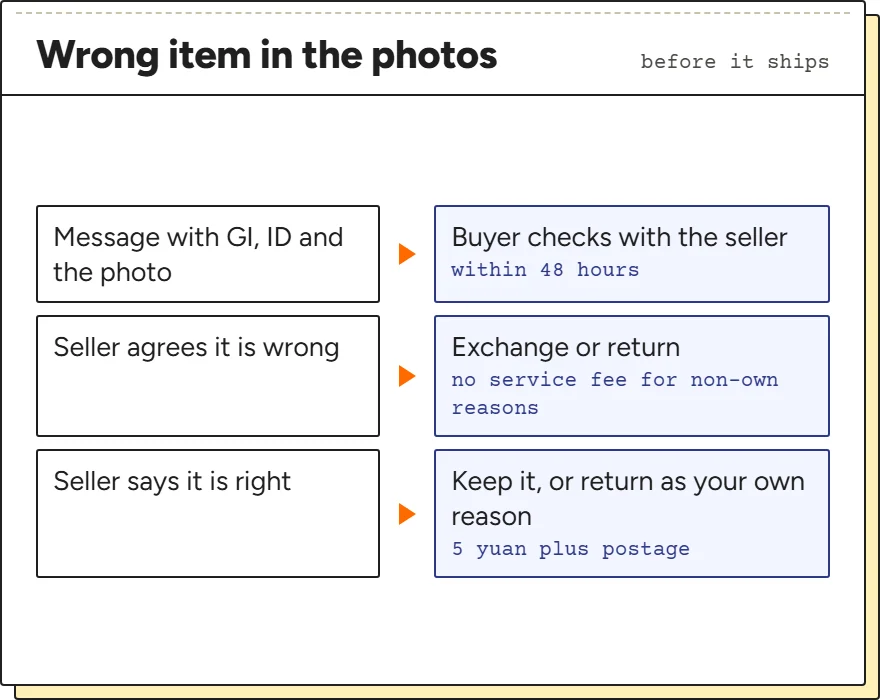
A wrong item in the warehouse photos is a mismatch you can still fix cheaply, because it has not left China. Send the same message as for any mismatch, with the Item Code and Original Order ID, and add which photo shows the difference. The return time limit line in the service table gives the buyer 48 hours to agree the return or exchange with the seller.
Watch the five-day clock while you wait for an answer, and say in your message that you are asking within the window. If the reply is that the seller sent the right item and the listing photo was misleading, the decision is yours: accept it, or return it under your own reason and pay the fee.
There is also an optional inspection and verification service described in the logistics instructions; its wording sits in the section on forwarded parcels, so we do not rely on it for agent orders.