iTaoBuy Spreadsheet shelves, read with the order in mind
Sixteen shelves of finds, plus the habit that makes a later check possible: note the shop, the option text and the price before a listing becomes an order.
Checked 16 October 2026
The sixteen shelves
All sixteen main categories are included. Womenswear opens a keyword search, so inspect each result. Save the seller link, exact variant and current price before you leave a listing.
 HatsCopy down: the colourway name the shop uses, not just the colour you seeCategory
 T-shirtsCopy down: the size line from the shop's chart, chest width in centimetresCategory
 SneakersCopy down: the size in the shop's own scale, written exactly as the button shows itCategory
 WomenswearCopy down: colour and size together, as one option lineSearch results
 BagsCopy down: the strap or hardware option when one link sells several versionsCategory
 HoodiesCopy down: zip or pullover, and the lining option if there is oneCategory
 JewelleryCopy down: metal colour and chain length, which shops often list as two choicesCategory
 JeansCopy down: waist size and leg cut, both of which sit in the option textCategory
 OuterwearCopy down: the padding or fill option, which is often priced on its ownCategory
 SweatpantsCheck waist, length and cuff shape.
 Sports jerseysConfirm team, season, size and any personalisation.
 BeltsCheck usable length and buckle dimensions.
 EyewearConfirm frame width, lenses and included case.
 PerfumeConfirm liquid acceptance before paying.
 WatchesCheck case size, movement and battery restrictions.
 ElectronicsConfirm model, voltage, battery and route acceptance.
The listing, read with your option already chosen
Deciding what to order happens on the listing, not on the shelf. Most Taobao and Weidian listings sell several versions under one link, and the version is chosen with option buttons: colour, size, sometimes a bundle. Prices can differ between options, so the figure at the top of the page may not be the price of the one you want.
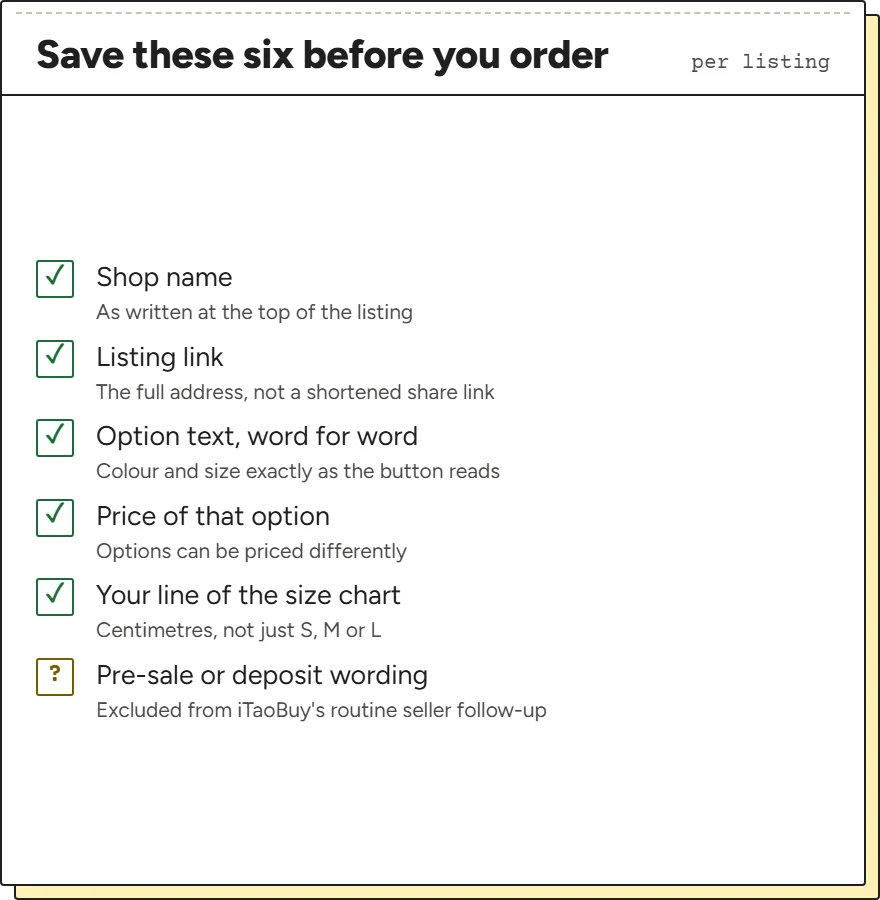
Choose the option first, then save what the listing shows in that state: the shop name, the link, the option text exactly as written, the price for that option and the line of the size chart that fits you. A screenshot of the selected option is worth more than any note, because it records the option text in the seller's own words.
Look for the words pre-sale or deposit. iTaoBuy's service table excludes “pre-sale/deposit orders” from its routine follow-up of slow sellers, so those listings run on the seller's own date.
Seller signals that bear on a clean match
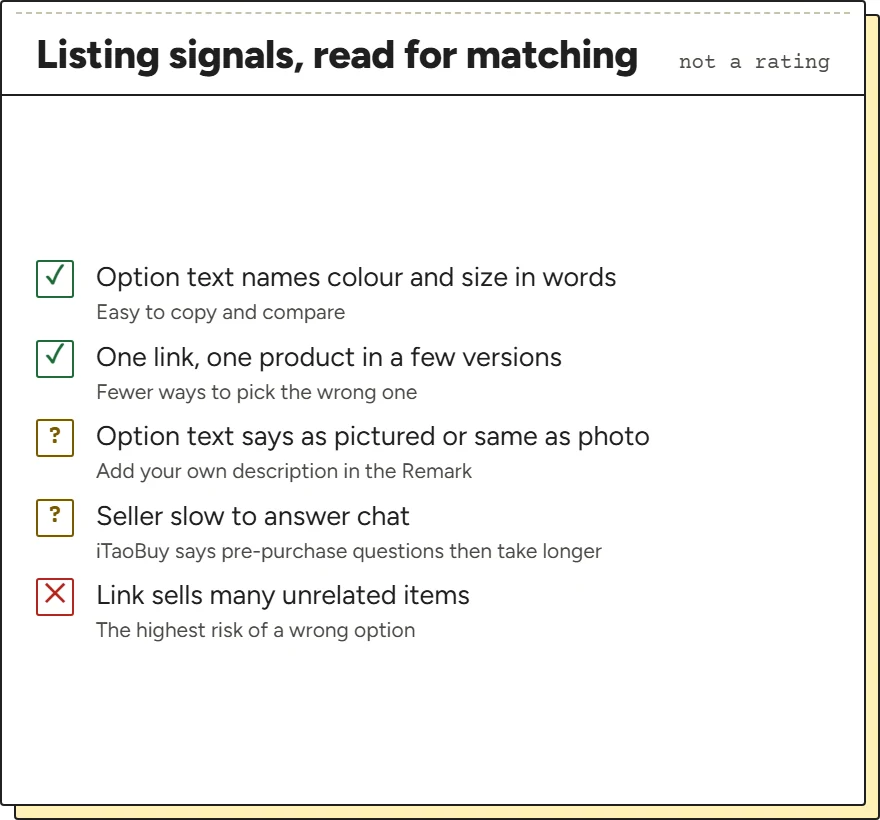
Vetting sellers usually means ratings and sales counts. For a clean source order, other signals matter more, and you can read them on the listing. A shop that writes vague option text such as “as pictured” or “same as photo” leaves the buyer guessing, and a guess is where a mismatch starts. A single link that sells many unrelated versions makes a wrong option more likely.
Sellers who are often offline slow things down in a way iTaoBuy states plainly: if your order needs a question answered before purchase “and the seller remains offline, the delivery time will be correspondingly extended”. The tips on the order details page repeat the point about sellers' online status.
None of this rates a shop as good or bad. It tells you which listings deserve a more careful note on the white ply of the match sheet.
Option names that trip up a comparison
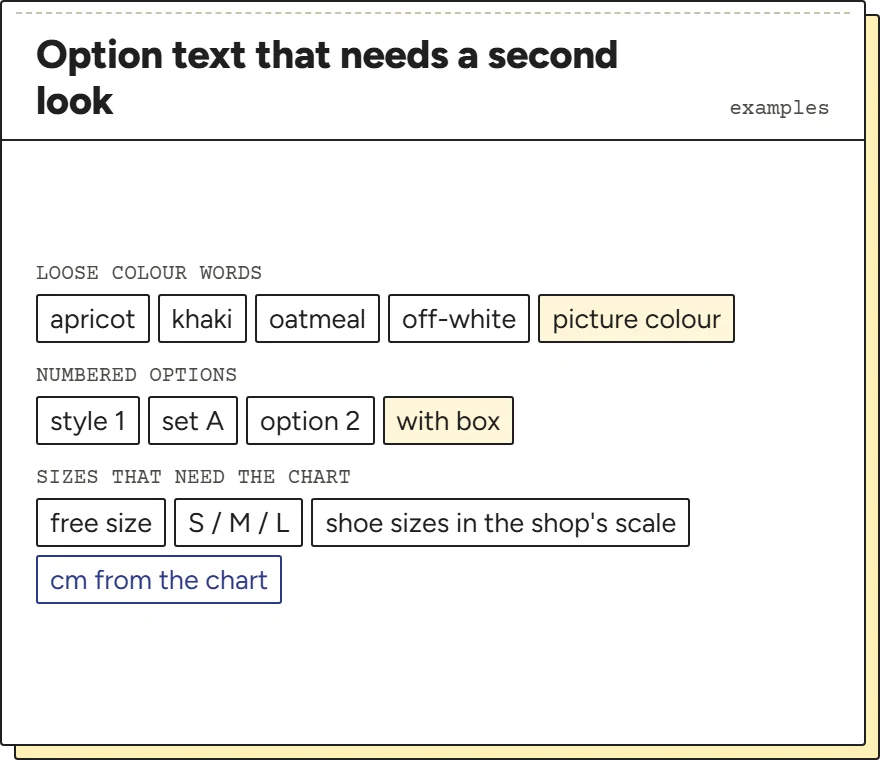
Most mismatches that are not stock problems come from option names. Colour words are translated loosely: one listing's apricot is another's khaki, and machine translation on an agent's page can turn the same Chinese word into either. Shops also number options (style 1, set A) and rely on the photo to say what the number means.
Sizes depend on the shop's own chart. A clothing size letter means little until you match it with the centimetres in that chart, and shoe sizes may be listed in a scale you do not use at home. Write both: the size as the button shows it and the measurement you chose it for.
When the order page later shows the specification in Chinese, compare the characters with your screenshot of the option button, not with a translation of either.
Keep the option’s meaning, not just its position in the menu
A seller may reorder options or use a short label that makes sense only beside a photograph. Save the wording and its associated image when selecting a size, colour or bundle. For a multipack, check whether quantity refers to packs or individual pieces. For clothing, keep the measurement chart as well as the size letter.
When the link becomes an iTaoBuy order, compare those details with the recorded specification and item reference. Do not assume that the second option in two menus means the same thing. A Spreadsheet card helps you discover the listing; it is the original option and the submitted request that define the purchase. This gives a later Original Order ID enquiry a specific question to investigate.
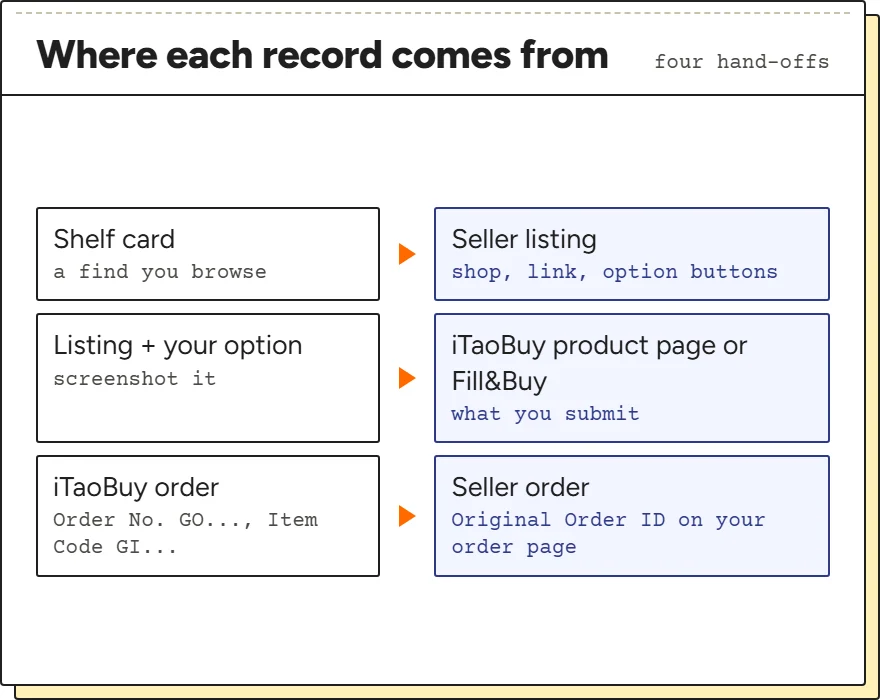
From shelf to listing to order
A shelf card shows you finds; it does not place anything. The listing you open from it is the thing iTaoBuy will buy, together with the option you choose. If you change the option on iTaoBuy's product page, or type a different one into Fill&Buy, that new choice is what goes to the buyer, so note it on your copy as well.
From there the record moves to iTaoBuy: an order with an Order No. starting GO and, for each item, an Item Code starting GI. Once the buyer has paid the seller, the order page adds the Original Order ID from the source platform. Those three references are what the checks before paying and the match sheet work with.